


Learn how to resolve timeout and ‘task not responding’ errors that may occur when creating backups with the WPvivid Backup plugin.
Backup timeouts and unresponsive tasks are usually a result of insufficient server resources. However, you can adjust the following WPvivid settings to optimize the backup process and improve the backup success rate:
Recommended Settings for the Pro Version
Note
If you are using the Free version, please scroll down to view our recommended settings for your configuration.
If you are using the Free version, please scroll down to view our recommended settings for your configuration.
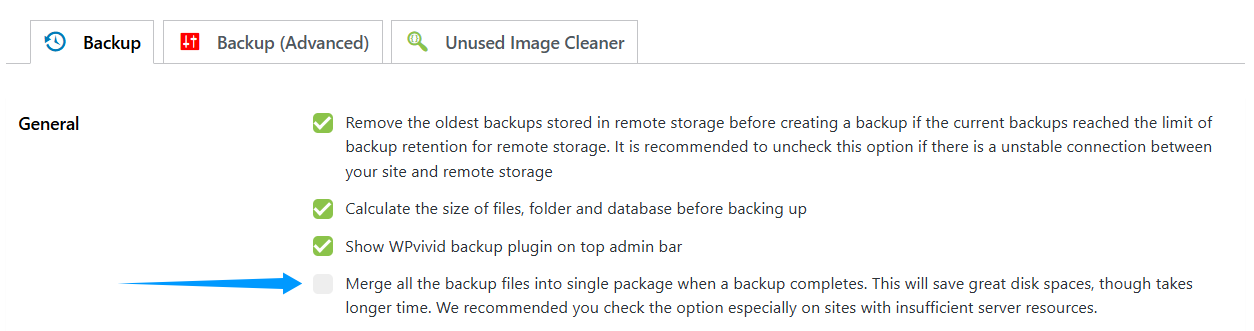
In Backup settings
- 1. Uncheck ‘Merge all the backup files into single package when a backup completes’
After modifying the WPvivid settings, please remember to click the Save Changes button.
In Backup (Advanced) Settings
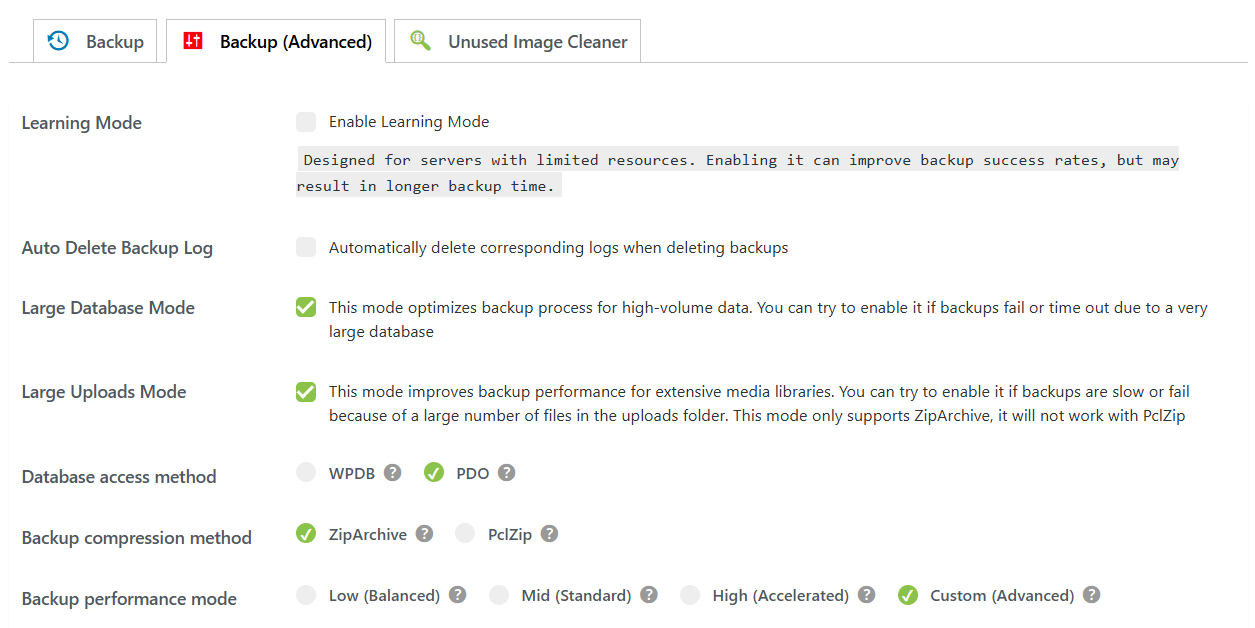
- 1. Uncheck the option of ‘Enable Learning mode’
- 2. Check Large Database Mode
- 3. Check Large Uploads Mode
- 4. Database access method: PDO
- 5. Backup compression method: ZipArchive
- 6. Backup performance mode: Custom
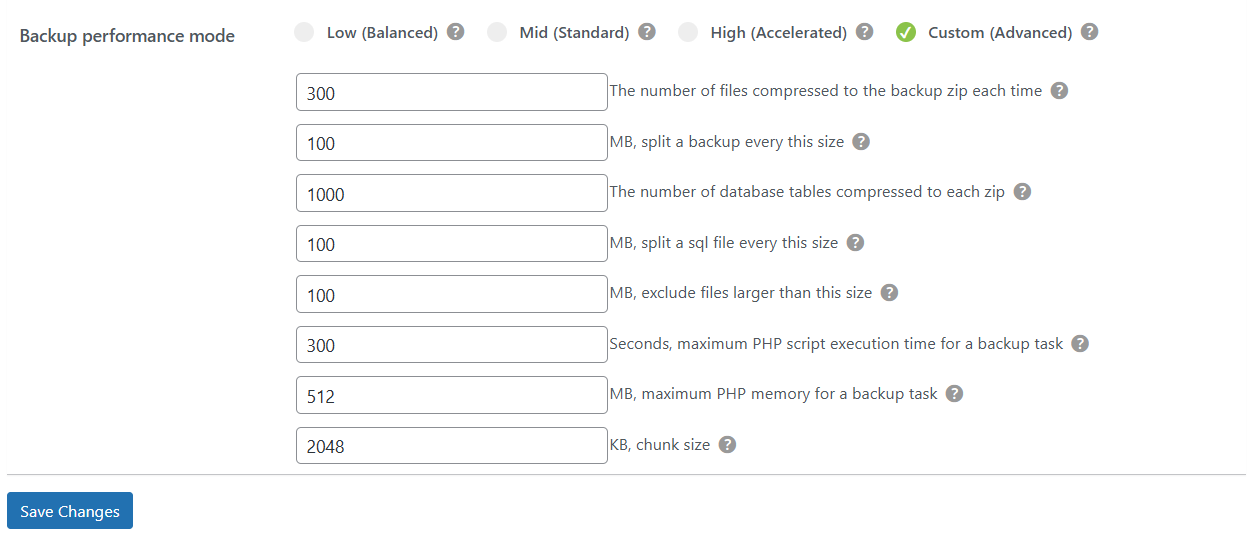
- 7. The number of files compressed to the backup zip each time: 300
- 8. Split a backup every this size: 100MB
- 9. The number of database tables compressed to each zip: 1000
- 10. Split a sql file every this size: 100MB
- 11. Exclude files larger than this size: 100MB
- 12. Maximum PHP script execution time for a backup task: 300 seconds
- 13. Maximum PHP memory for a backup task: 512MB
- 14. Chunk size: 2048KB
Once you have updated your WPvivid settings, ensure you click Save Changes to apply them.
Recommended Settings for the Free Version
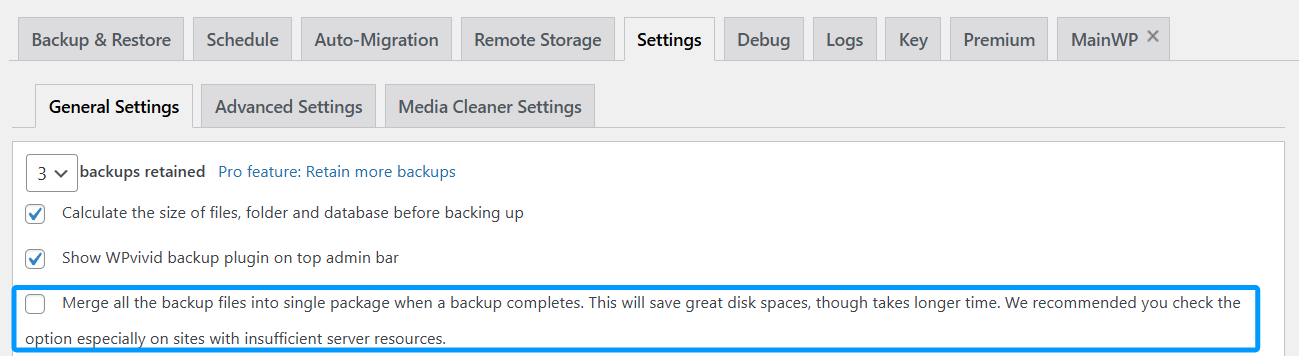
In General settings
- 1. Untick ‘Merge all the backup files into single package when a backup completes’
In Backup(Advanced) Settings
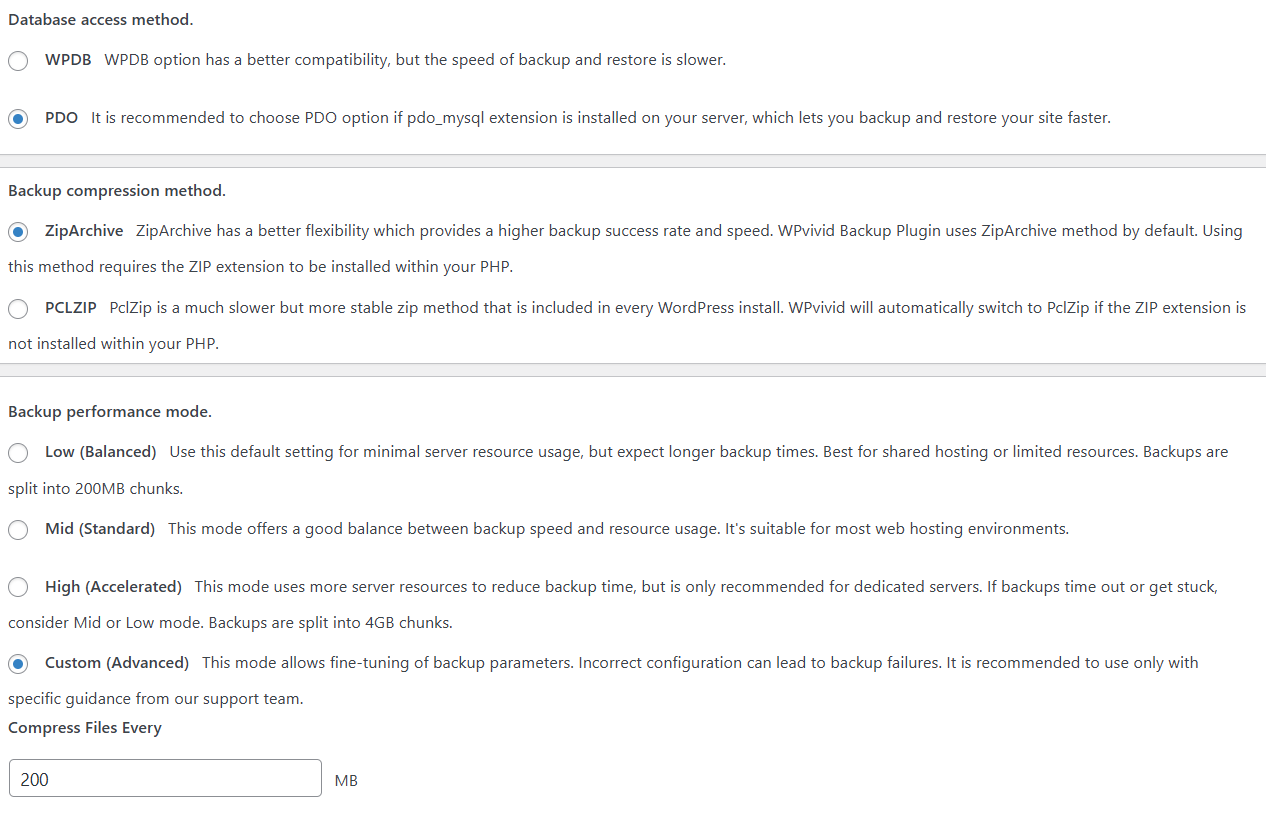
- 1. Database access method: PDO
- 2. Backup compression method: ZipArchive
- 3. Backup performance mode: Custom
- 4. Compress Files Every: 100MB
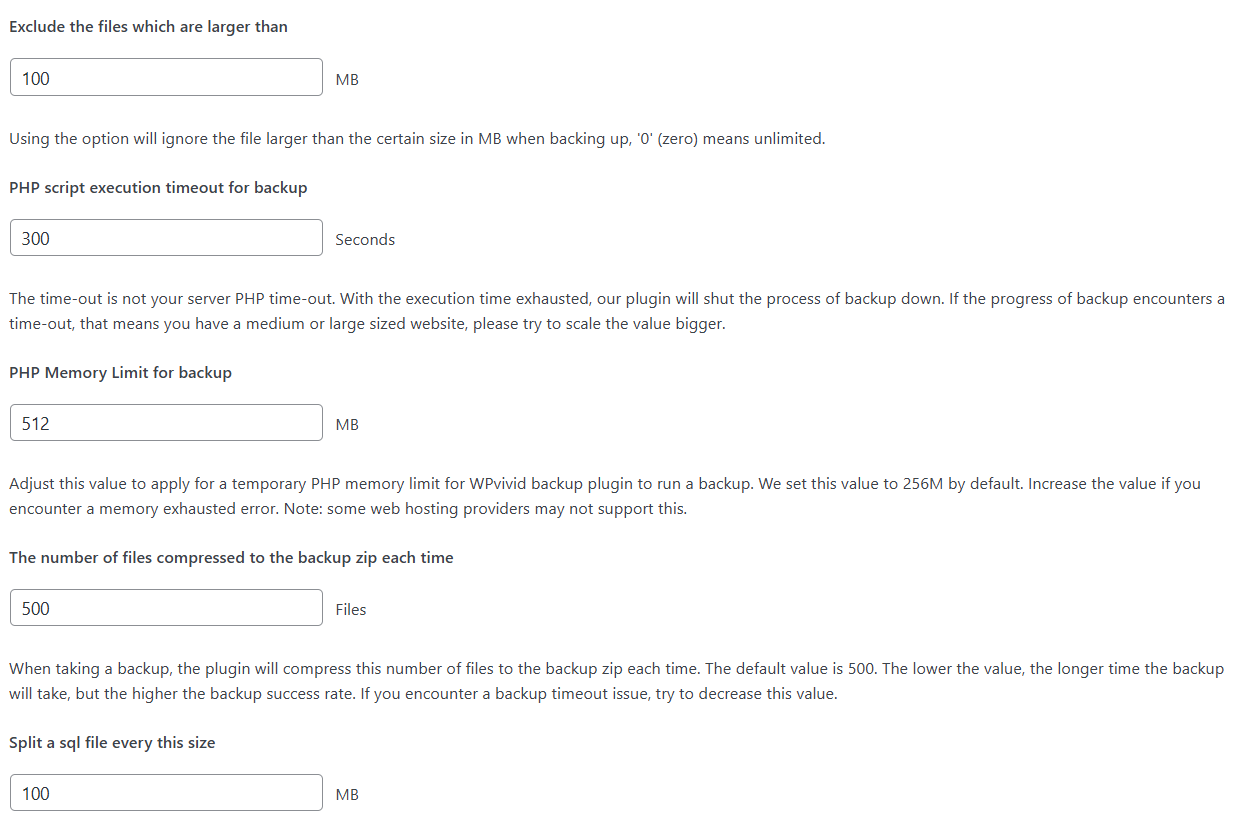
- 5. Exclude the files which are larger than: 100MB
- 6. PHP script execution timeout for backup: 300 seconds
- 7. PHP Memory Limit for backup: 512MB
- 8. The number of files compressed to the backup zip each time: 500
- 9. Split a sql file every this size: 100MB
- 10. Chunk size: 2048KB
Remember to click Save Changes after modifying WPvivid settings.